Home — screen guide
Home is step 6. It sets what the home dashboard in the app shows for the whole house: Quick Shortcuts, cameras, the main door lock and the weather city. Energy Monitor is marked COMING SOON. Task article: The home screen.
Each picture is a real capture (Office test data, 25 Oct 2026; PINs, passwords and e-mails masked). The numbered copy draws a gold box and number on every control that is matched to the inventory. The number in the picture is the number in the table. Unmatched boxes (labels and layout) are not numbered.
06-home
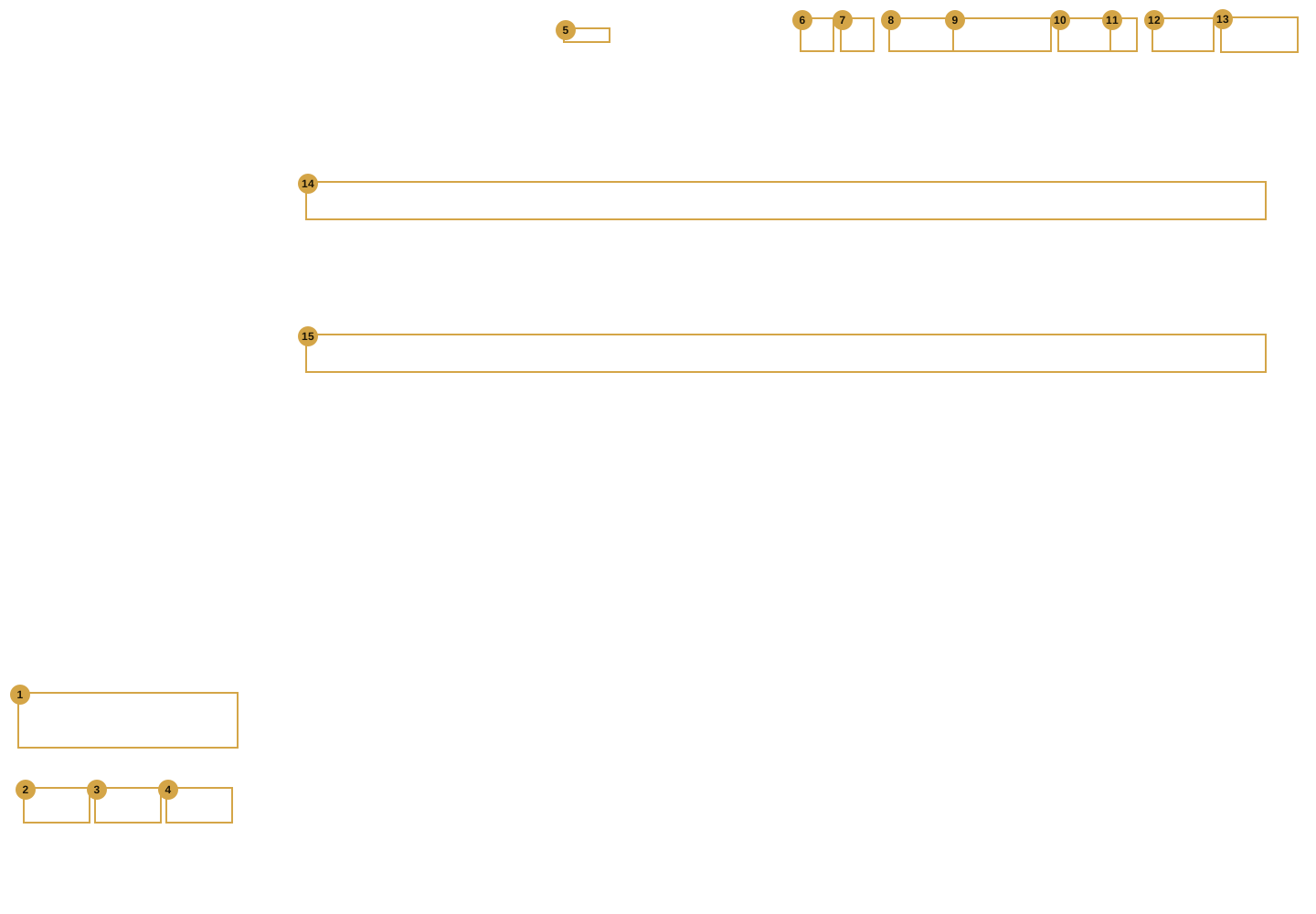
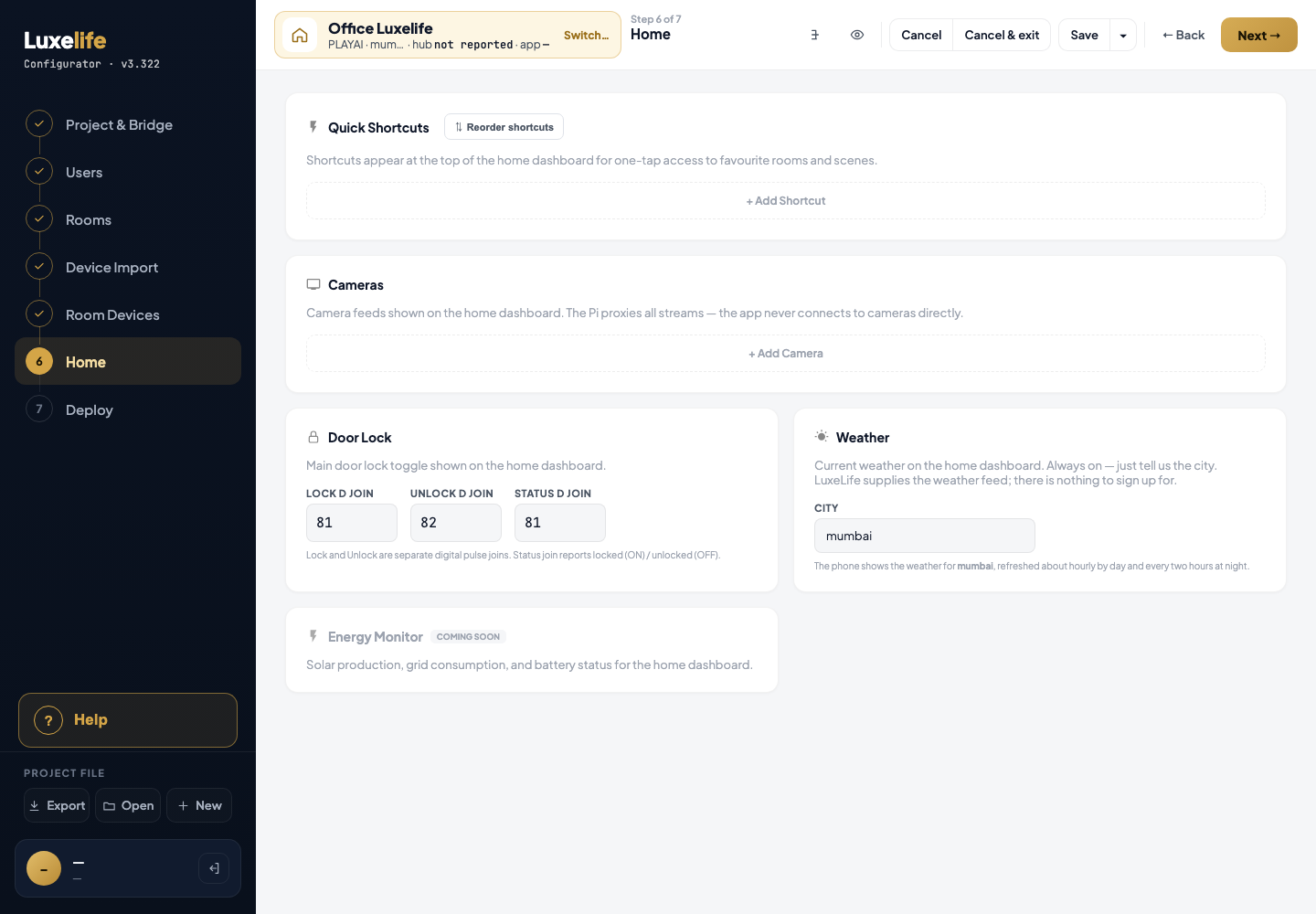
| # | Screen it belongs to | Help |
|---|---|---|
| 1 | Shell | written by the helper for that screen |
| 2 | Shell | written by the helper for that screen |
| 3 | Shell | written by the helper for that screen |
| 4 | Shell | written by the helper for that screen |
| 5 | Shell | written by the helper for that screen |
| 6 | Shell | written by the helper for that screen |
| 7 | Shell | written by the helper for that screen |
| 8 | Shell | written by the helper for that screen |
| 9 | Shell | written by the helper for that screen |
| 10 | Shell | written by the helper for that screen |
| 11 | Shell | written by the helper for that screen |
| 12 | Shell | written by the helper for that screen |
| 13 | Shell | written by the helper for that screen |
| 14 | Home | + Add Shortcut |
| 15 | Home | + Add Camera |
06-home-dialog-help-panel
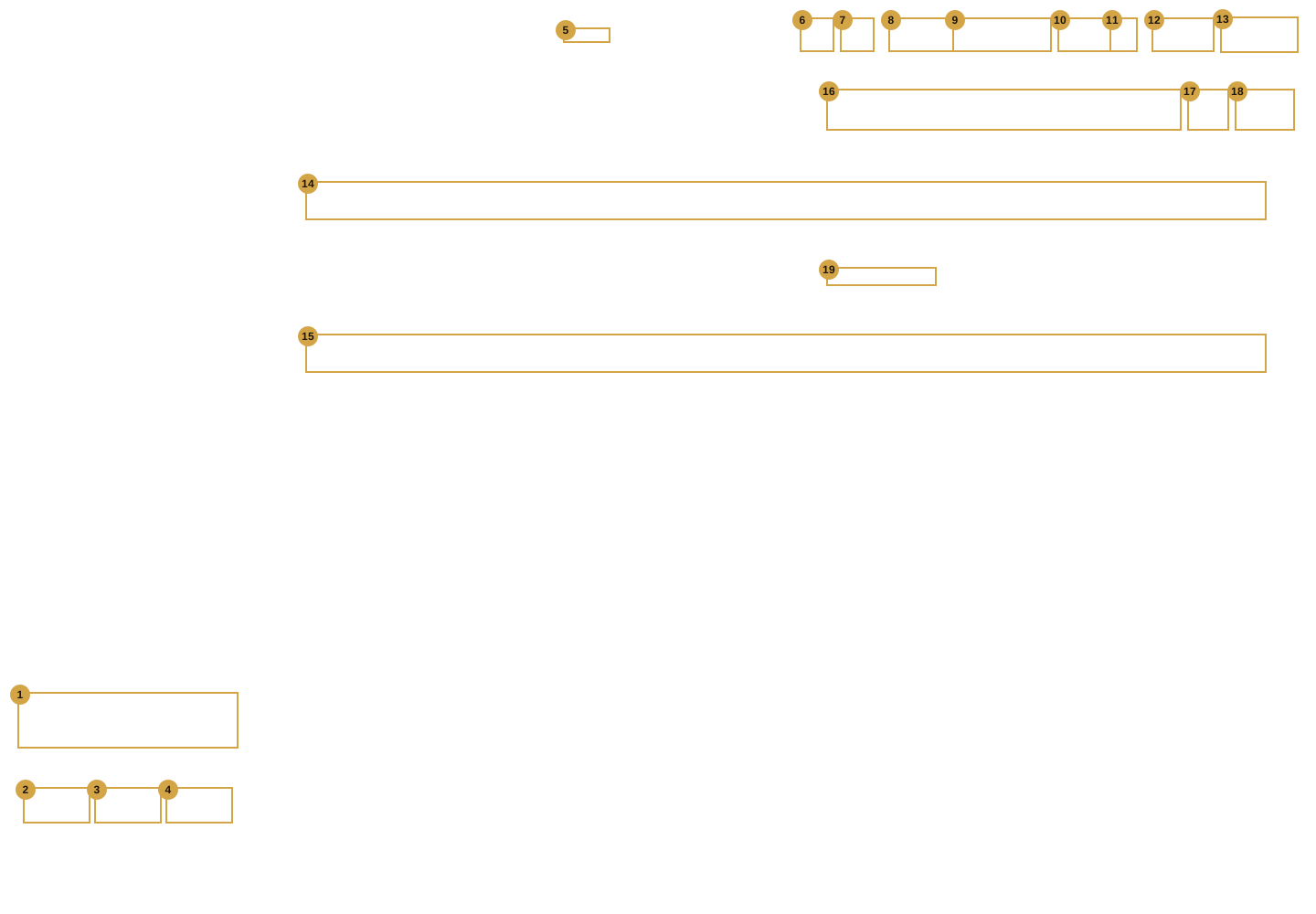
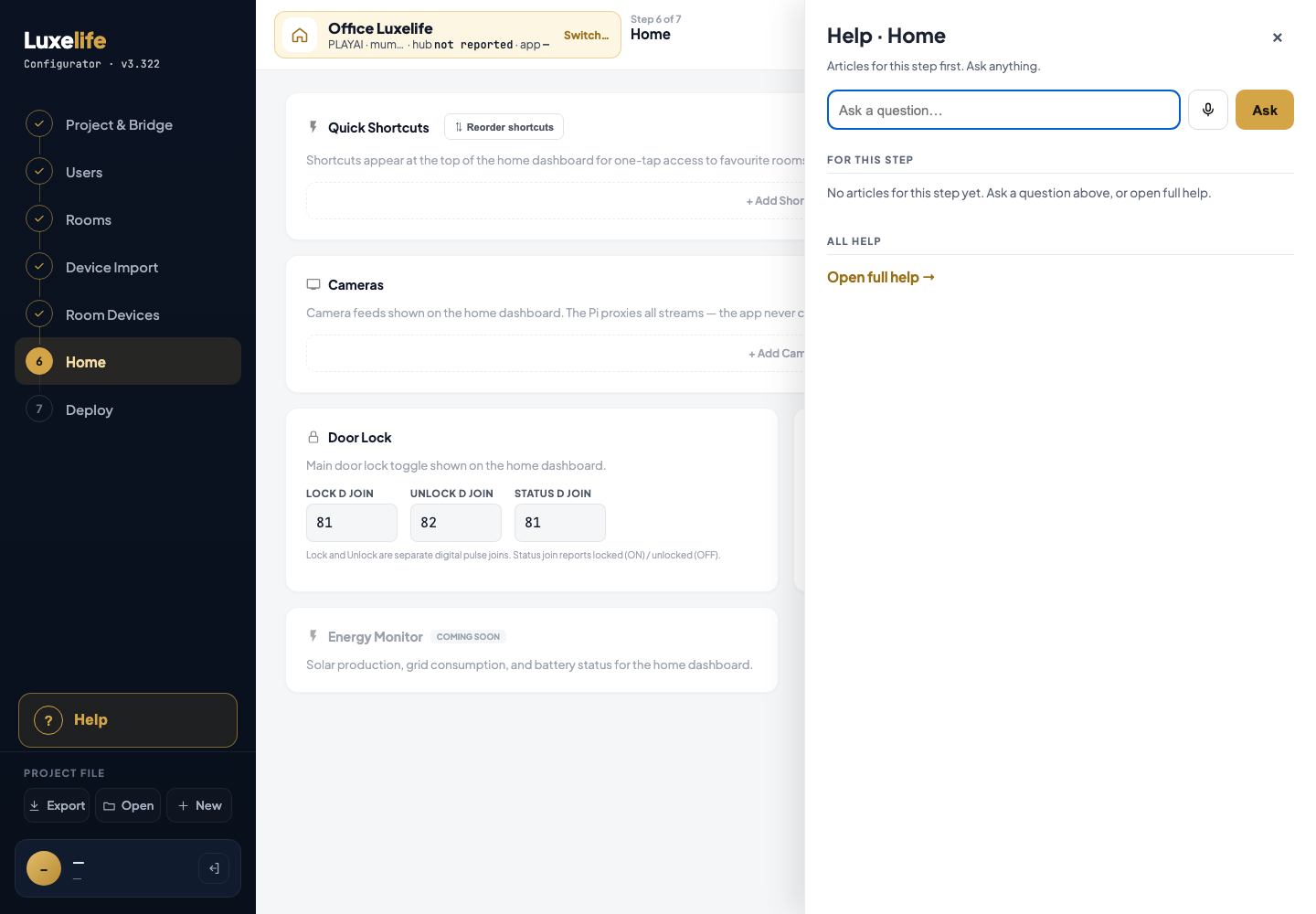
| # | Screen it belongs to | Help |
|---|---|---|
| 1 | Shell | written by the helper for that screen |
| 2 | Shell | written by the helper for that screen |
| 3 | Shell | written by the helper for that screen |
| 4 | Shell | written by the helper for that screen |
| 5 | Shell | written by the helper for that screen |
| 6 | Shell | written by the helper for that screen |
| 7 | Shell | written by the helper for that screen |
| 8 | Shell | written by the helper for that screen |
| 9 | Shell | written by the helper for that screen |
| 10 | Shell | written by the helper for that screen |
| 11 | Shell | written by the helper for that screen |
| 12 | Shell | written by the helper for that screen |
| 13 | Shell | written by the helper for that screen |
| 14 | Home | + Add Shortcut |
| 15 | Home | + Add Camera |
| 16 | Room Devices | Ask a question |
| 17 | Room Devices | Ask by voice |
| 18 | Room Devices | Ask |
| 19 | Room Devices | Open full help → |
06-home-reorder
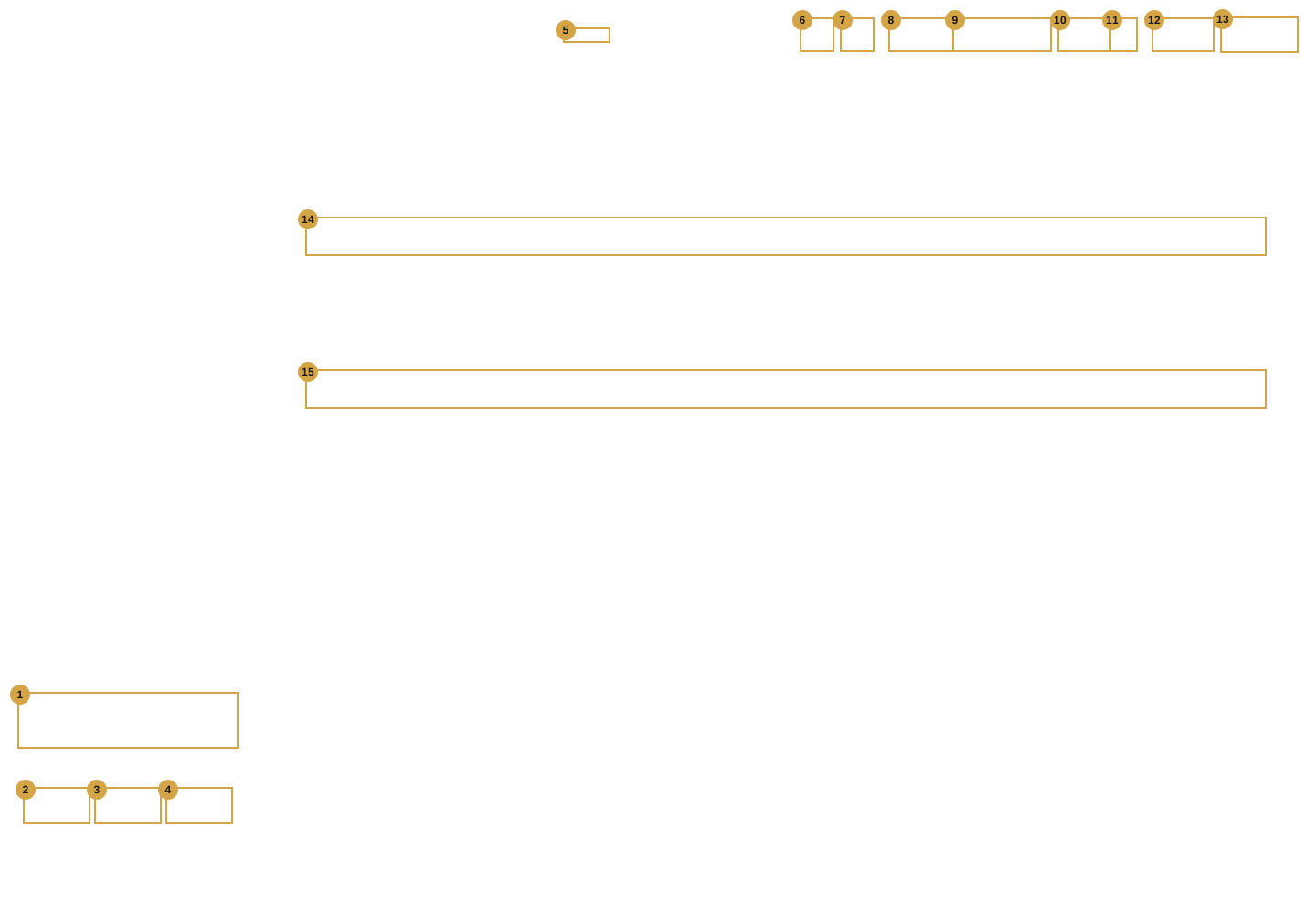
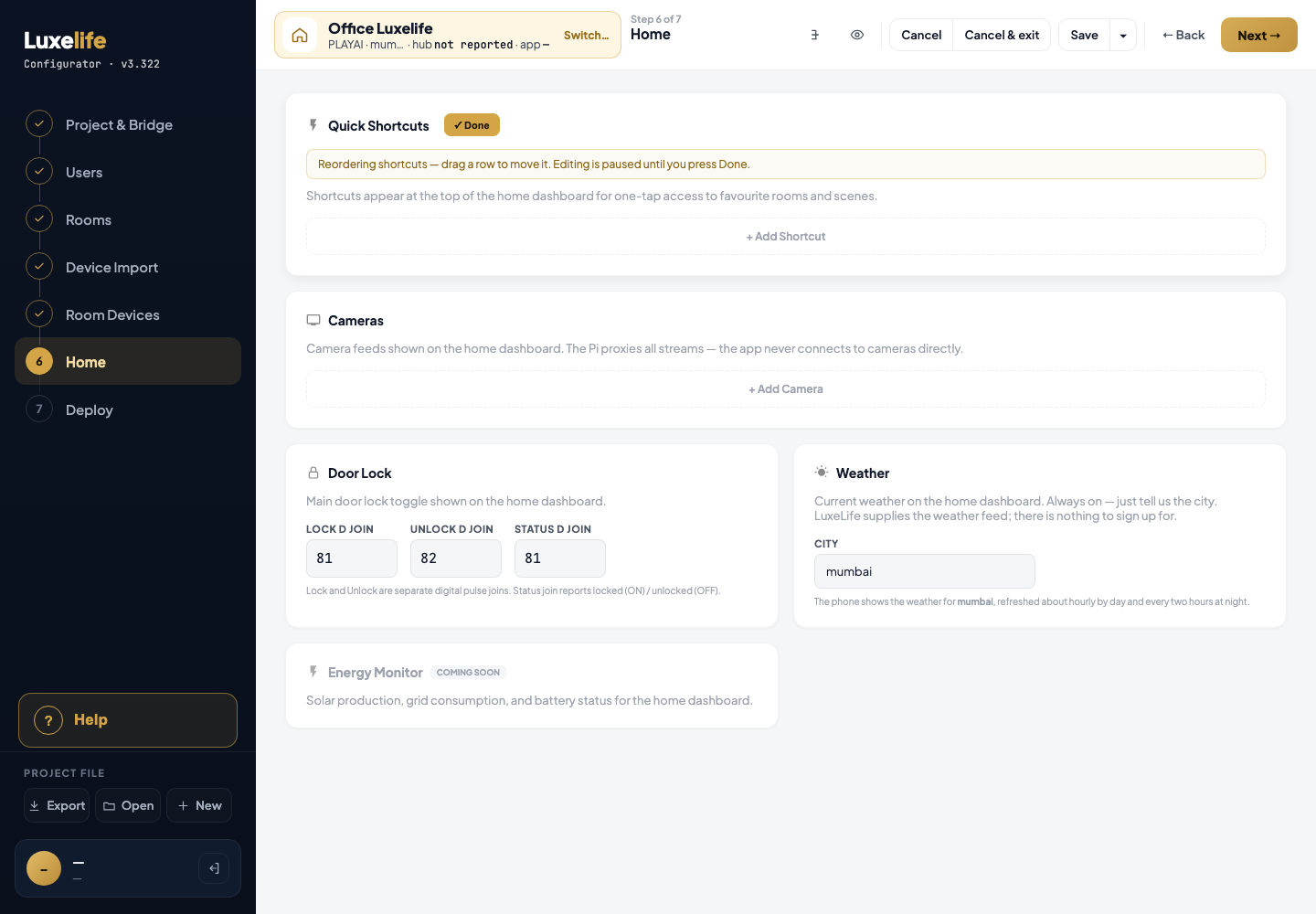
| # | Screen it belongs to | Help |
|---|---|---|
| 1 | Shell | written by the helper for that screen |
| 2 | Shell | written by the helper for that screen |
| 3 | Shell | written by the helper for that screen |
| 4 | Shell | written by the helper for that screen |
| 5 | Shell | written by the helper for that screen |
| 6 | Shell | written by the helper for that screen |
| 7 | Shell | written by the helper for that screen |
| 8 | Shell | written by the helper for that screen |
| 9 | Shell | written by the helper for that screen |
| 10 | Shell | written by the helper for that screen |
| 11 | Shell | written by the helper for that screen |
| 12 | Shell | written by the helper for that screen |
| 13 | Shell | written by the helper for that screen |
| 14 | Home | + Add Shortcut |
| 15 | Home | + Add Camera |